Whether you need to check your registration status, report a problem with your application, ask about the Ramzan Package, or find your nearest registration centre — knowing the right PSER helpline number saves you hours of frustration. The Punjab government has set up multiple official contact channels for PSER-related queries, each designed for a different type of need.
This complete guide covers every official contact method, explains when to use which number, and tells you exactly what to say when you call or send an SMS.
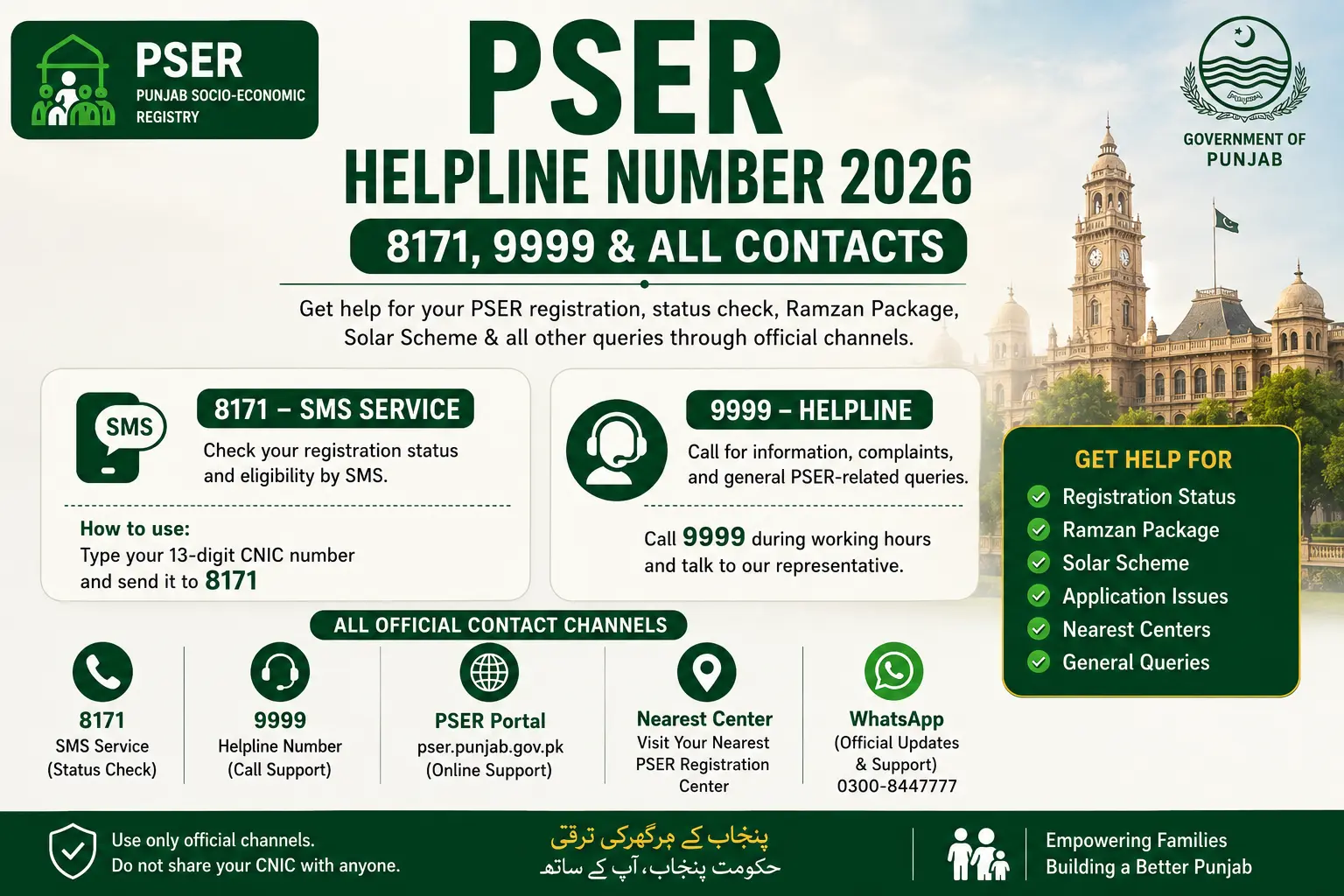
PSER Helpline Number — Complete List
Before diving into the details of each method, here is a quick reference table of every official PSER contact number:
| Contact Method | Number | Best For | Cost |
|---|---|---|---|
| SMS Status Check | 8171 | PSER and Ehsaas status check | Standard SMS rate |
| PSER SMS Helpline | 9999 | PSER programme-specific status | Standard SMS rate |
| Punjab Govt Helpline | 0800-02345 | All queries, complaints, human support | Free (all networks) |
| CM Complaint Centre | 0800-02345 | Formal complaints and escalations | Free (all networks) |
| Official Portal | pser.punjab.gov.pk | Registration, login, status, documents | Free (internet required) |
Keep these numbers saved in your mobile phone. The most important one to have at all times is 0800-02345 — it is free, works on all networks, and connects you to a real PSER support representative.
8171 — Ehsaas & PSER SMS Helpline
8171 is the federal Ehsaas Programme helpline that is also integrated with the PSER database. It is the most widely known welfare SMS number in Pakistan and provides automated status information for both federal and Punjab-level welfare programmes.
- Function: Send your 13-digit CNIC to 8171 and receive an automated SMS reply confirming your PSER registration status and general welfare programme eligibility
- Works on: All Pakistani mobile networks — Jazz, Telenor, Zong, Ufone, Warid
- Works on: Any mobile phone — smartphones and basic keypad phones
- Response time: Usually within 30 to 60 seconds
- Language: Replies are typically in Urdu
- Cost: Standard outgoing SMS rate — usually very low or included in basic SMS packages
The 8171 service covers broader information on federal welfare programmes alongside PSER — making it ideal for households that want to check their status across multiple welfare systems with one SMS.
9999 — PSER Direct SMS Helpline
9999 is the PSER-specific SMS helpline for Punjab Socio-Economic Registry programme status and information. While 8171 covers the broader federal welfare landscape, 9999 is more focused on PSER-specific programme details.
- Function: Send your 13-digit CNIC to 9999 for PSER-specific registration status, Ramzan Package eligibility, Solar Panel selection status, and other PSER-linked programme information
- Works on: All Pakistani mobile networks
- Response time: Usually within 30 to 60 seconds
- Best for: Checking specific PSER programme selections — Ramzan Package, 12000 income support, Solar Panel Scheme
- Cost: Standard outgoing SMS rate
When you want programme-specific information — such as whether your household has been selected for the Ramzan Package specifically — 9999 is the more targeted option compared to 8171.
Punjab Government PSER Office Contact
For matters that require human assistance — complex queries, formal complaints, account recovery, or situations that SMS cannot resolve — the primary contact is:
- Free Helpline: 0800-02345 (operated under the Chief Minister’s Complaint Centre)
- Official Portal: pser.punjab.gov.pk
- In-person assistance: PSER Registration Centres located across all 36 districts of Punjab — over 5,000 centres nationwide
- Local tehsil offices: Your nearest Tehsil Municipal Administration office can direct you to the closest PSER registration and support facility
The 0800-02345 number is the most important contact for anything beyond a basic status check. It is completely free from all mobile networks and landlines across Pakistan.
How to Use 8171 for PSER Status Check
Using 8171 for your PSER status check is one of the simplest things you can do with a mobile phone. Here is the exact process:
Step 1 — Open your SMS app: On any mobile phone — smartphone or basic keypad phone — open the messages or SMS application.
Step 2 — Type your CNIC correctly: Type your 13-digit CNIC number exactly as it appears on your identity card — but without any dashes or spaces. The number must be exactly 13 digits. For example: 3520212345671
Do not type:
- 35202-1234567-1 (with dashes) ❌
- 3520 2123 4567 1 (with spaces) ❌
- 352021234567 (12 digits — missing one) ❌
Step 3 — Send to 8171: In the recipient field, type 8171 and send the message.
Step 4 — Read your reply: Within 30 to 60 seconds, you will receive an automated SMS reply. The message will be in Urdu and will confirm:
- Whether your CNIC is registered in the PSER/Ehsaas database
- Your current registration status
- Basic eligibility information for active welfare programmes
What to do if you receive no reply:
- Wait 5 minutes and try again
- Make sure your SIM has a network signal and is not in DND mode
- Try from a different mobile number
- Call 0800-02345 for manual status assistance
How to Use 9999 for PSER Registration Details
The 9999 helpline works identically to 8171 in terms of the SMS process — but delivers PSER-specific programme information:
Step 1 — Open the SMS app
Step 2 — Type your 13-digit CNIC — no dashes, no spaces. Example: 3520212345671
Step 3 — Send to 9999
Step 4 — Read your reply: The automated reply from 9999 will confirm:
- Your PSER registration status in the Punjab database
- Whether your household has been selected for any active PSER programme (Ramzan Package, Solar Panel Scheme, 12000 support, etc.)
- Your basic eligibility tier information
Comparing 8171 and 9999:
| 8171 | 9999 | |
|---|---|---|
| Coverage | Federal + PSER (Punjab) | PSER (Punjab) specific |
| Best for | General welfare status check | PSER programme-specific status |
| Information depth | Broader — covers Ehsaas, BISP-linked | More specific — PSER programmes |
| Response speed | 30–60 seconds | 30–60 seconds |
| Works on all networks | ✅ Yes | ✅ Yes |
For most everyday status checks, either number works. For checking whether you have been selected for a specific PSER programme like the Ramzan Package or Solar Panel Scheme, 9999 is the better choice.
PSER Helpline for Ramzan Program Queries
During Ramzan season, helpline call volumes increase significantly as millions of households try to check their Ramzan Package selection status. Here is how to get the most efficient support for Ramzan-specific queries:
For quick status check — use SMS first:
Before calling, always try SMS to 9999 first. Send your 13-digit CNIC and check whether the automated reply confirms your Ramzan Package selection. This takes under a minute and does not require waiting on hold.
If SMS confirms selection but you have questions about collection:
Call 0800-02345 and ask specifically about:
- The location of your nearest Ramzan Package distribution point
- The dates and times for distribution in your area
- What documents to bring for collection (original CNIC)
- What to do if you cannot collect on the announced date
If SMS shows no selection and you believe you qualify:
Call 0800-02345 and provide your CNIC number. Ask the representative to:
- Confirm your current PSER registration status
- Check whether your household’s PMT score falls within the current programme threshold
- Advise on whether re-submission or data correction is needed
If your registered mobile number is no longer active:
This is a critical issue — if your mobile number has changed since registration, you will not receive Ramzan selection SMS notifications. Call 0800-02345 immediately to update your mobile number in the PSER system before the Ramzan distribution period begins.
Tehsil Monitor PSER — How to Contact Your Local Office
The Tehsil Monitor is a government-appointed field officer responsible for PSER registration oversight and community support at the tehsil level. Every tehsil across Punjab’s 36 districts has a designated PSER monitoring team that can provide local-level support and escalation.
What the Tehsil Monitor can help with:
- Confirming the status of your PSER application at the local level
- Resolving field verification disputes — if the survey team’s findings do not match your actual household situation
- Directing you to the nearest PSER Registration Centre in your tehsil
- Escalating complex cases that cannot be resolved through the national helpline
- Providing information about survey schedules in your specific area
How to contact your Tehsil Monitor:
- Visit your Tehsil Municipal Administration (TMA) office in person — the PSER desk or social welfare section can connect you with the tehsil monitor
- Ask at your Union Council office — UC-level staff often have direct contact information for the PSER tehsil monitor in your area
- Call 0800-02345 and request to be connected to or given the contact details of the PSER representative for your specific tehsil
When to contact the Tehsil Monitor instead of the national helpline:
- When your application has been stuck in “Under Review” for more than 8 weeks with no update
- When the field verification team visited your home, their reported findings do not accurately reflect your household situation
- When you have a complex local issue — land disputes, address confusion, CNIC irregularities — that requires in-person resolution
- When you need someone to physically assist an elderly or disabled household member with registration
PSER Online Registration Contact Number for Complaints
If you have a formal complaint about your PSER registration — rejection, unfair assessment, data errors, or misconduct by a field survey officer — here is how to file it through the right channels:
Primary complaints channel:
Call 0800-02345 — the Chief Minister’s Complaint Centre — and clearly state that you are filing a PSER complaint. Provide:
- Your full name
- Your 13-digit CNIC number
- The nature of your complaint (rejection, data error, field officer misconduct, etc.)
- Any reference numbers from previous interactions
Online complaint submission:
Visit pser.punjab.gov.pk and log in to your account. Look for a Complaint or Grievance section on your dashboard. Submit your complaint in writing with all relevant details. Written complaints have a formal record and are easier to follow up on.
Formal escalation:
If your complaint through 0800-02345 or the portal has not been resolved within 10 to 15 working days, you can escalate through:
- The Punjab Social Protection Authority (PSPA) directly
- The District Social Welfare Office in your district
- The CM Punjab complaint portal at cmcomplaints.punjab.gov.pk
Common complaint types and guidance:
| Complaint Type | Recommended Action |
|---|---|
| Application rejected unfairly | Call 0800-02345, request review, provide supporting evidence |
| Field officer data entered incorrectly | Call 0800-02345 and request a data correction and re-verification |
| Status stuck on “Under Review” too long | Call 0800-02345 after 8+ weeks to escalate |
| Selected household not receiving benefit | Call 0800-02345 with programme reference number |
| Duplicate registration issue | Visit nearest PSER Registration Centre with original CNIC |
| Mobile number not receiving SMS | Call 0800-02345 to update registered mobile number |
PSER Helpline Working Hours and Response Time
Understanding when the PSER helpline operates and how long responses take helps you plan your contact attempts effectively:
0800-02345 (Phone helpline):
- Working hours: Monday to Friday, 9:00 AM to 5:00 PM (government working hours)
- Saturday: Limited availability depending on current programme activity — higher availability during active programme phases like Ramzan
- Sunday and public holidays: Closed
- Average wait time: 2 to 15 minutes depending on call volume — highest during Ramzan season and when new welfare programmes are announced
- Best time to call: Early morning (9:00 AM to 11:00 AM) when call volumes are typically lowest
SMS services (8171 and 9999):
- Available: 24 hours a day, 7 days a week — automated services do not have working hours
- Response time: 30 seconds to 5 minutes in most cases
- Delays: May experience slower response during high-volume periods — network congestion during major announcements can slow delivery temporarily
PSER Portal (pser.punjab.gov.pk):
- Available: 24 hours a day, 7 days a week for most functions
- Scheduled maintenance: Occasional downtime for portal updates — usually announced in advance and completed overnight
- Response for submitted applications: New registrations typically appear in the system within 3 to 7 working days
Registration Centres:
- Working hours: Follow standard government office hours — typically Monday to Friday, 9:00 AM to 4:00 PM
- Some centres may have extended hours during active programme phases
Frequently Asked Questions — PSER Helpline
Is the PSER 8171 helpline free?
The 8171 helpline is not entirely free — it works as an SMS service, so you are charged your network’s standard outgoing SMS rate when you send your CNIC to 8171. However, this cost is typically very small — usually Rs. 1 to Rs. 3 per SMS depending on your mobile network and package.
What to do if the helpline is not responding?
If the PSER helpline is not responding — whether the phone is busy, the SMS is not getting a reply, or the portal is down — work through these steps systematically.
For 0800-02345: try calling at a different time — early morning on weekdays has the lowest call volume. If you repeatedly get a busy signal, try again on the next working day.
For SMS to 8171 or 9999: wait 10 minutes and resend your CNIC — network congestion can delay automated replies.
Can I complain about PSER registration rejection via the helpline?
Yes — filing a complaint about PSER registration rejection through the helpline is absolutely possible and encouraged. Call 0800-02345 during working hours and clearly state that you want to file a complaint about a rejected PSER registration.
Conclusion
Having the right PSER helpline number at the right moment can make the difference between a resolved issue and weeks of confusion. The three numbers every PSER applicant should have saved are 8171 for quick automated status checks, 9999 for PSER programme-specific status, and 0800-02345 for everything that requires human assistance — complaints, account recovery, data corrections, and escalations.
Use SMS first for routine status checks — it is instant, works around the clock, and does not require waiting on hold. Reserve the phone helpline for situations that genuinely require a representative’s involvement. And for the most complex issues — field verification disputes, long-pending applications, or formal complaints — do not hesitate to escalate to your Tehsil Monitor or District Social Welfare Office.
Most PSER issues are resolvable. The helpline system exists precisely for this purpose — to ensure that no deserving household is left behind because of a technical error, a data mismatch, or a procedural difficulty. Use it confidently and follow up persistently until your issue is fully resolved.