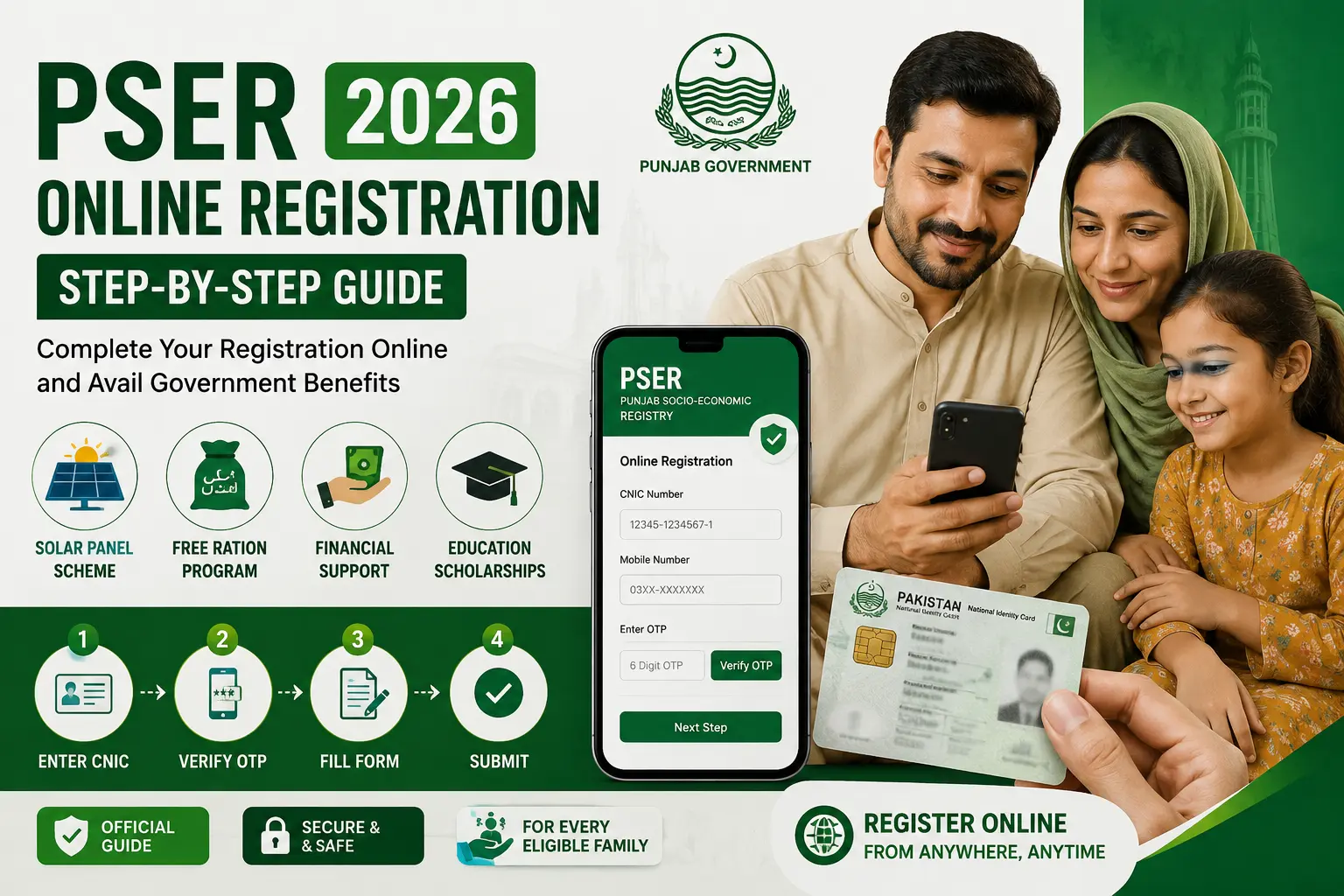
PSER Online Registration Apply 2026 is now open for all deserving households across Punjab. If you want to access government welfare programmes like the Ramzan Package, 12000 income support, Negahban ration, or the Solar Panel Scheme, completing your PSER application is the first and most important step.
This guide walks you through the entire process — from what to prepare before you start, to what happens after you submit.
What You Need Before You Apply (Checklist)
Before you open the PSER portal, make sure you have everything ready. Starting without these items means you will have to stop halfway through and restart — which wastes time and can cause errors in your application.
| Required Item | Details |
|---|---|
| Valid CNIC | 13-digit, active and not expired — family head’s CNIC |
| Nadra-Verified Mobile Number | SIM must be registered against your CNIC. Check by dialling *789# |
| Family Members’ Details | Full names, ages, and CNIC or B-Form numbers of every household member |
| Complete Home Address | Street, mohalla, tehsil, and district must be accurate for field verification |
| Income Information | Monthly household income — enter 0 if no income, never leave blank |
| Housing Details | Whether you own or rent, the type of structure, and the utilities available |
| Proof Documents | Scanned or clear photos of CNIC (front and back), recent passport photo |
Important: Your mobile number must be Nadra-biometric verified before starting. If it is not verified, you will not receive your OTP and the application will not proceed. Verify at any mobile network service centre or dial *789# to check your current status.
How to Apply for PSER Online Registration — Step by Step
The complete PSER Online Registration Apply 2026 process takes between 15 and 25 minutes if you have all your documents ready. Follow each step carefully — skipping or rushing any step is the most common reason applications get rejected or delayed.
Step 1 — Open the Official PSER Portal Link
Go to pser.punjab.gov.pk — this is the only official PSER registration portal run by the Punjab government. Do not use any third-party website, app, or link shared on social media that claims to offer PSER registration. Unofficial sites may steal your personal information or submit incorrect data on your behalf.
Once on the portal homepage, look for the New Registration button or the registration section. The portal is available in both English and Urdu — select your preferred language before proceeding.
Step 2 — Enter Your CNIC and Mobile Number
On the registration screen, enter your 13-digit CNIC number without any dashes or spaces. Then enter the mobile number registered to your CNIC via NADRA biometric verification.
Double-check both numbers before clicking Next. A single wrong digit in your CNIC will cause your entire application to fail at the verification stage — and you will have to start over.
Step 3 — Verify OTP
After entering your CNIC and mobile number, the system will send a One-Time Password (OTP) to your registered mobile number. This OTP is valid for a short time — usually 3 to 5 minutes — so check your messages immediately.
Enter the OTP in the box shown on the screen and click Verify. If you did not receive the OTP:
- Wait 2 to 3 minutes and request it again
- Make sure your phone is not in DND (Do Not Disturb) mode
- Check that your SIM has a network signal
- If still not received, call the helpline 0800-02345 for assistance
Step 4 — Fill the Household Survey Form
This is the most important and detailed part of the entire PSER application. The household survey form has 8 sections — every section must be completed honestly and accurately because this data determines your PMT (Proxy Means Test) eligibility score, which decides whether your household qualifies for welfare programmes.
The 8 sections are:
- Family Head Information — Full name, CNIC, contact details
- Family Roster Details — Name, age, CNIC/B-Form, education, and employment status of every family member
- Contact and Address Information — Your complete home address with tehsil and district
- Income Information — Monthly household income from all sources (enter 0 if none)
- Asset and Housing Information — Ownership status, housing type, utilities
- Agriculture Information — Land ownership and farming details (if applicable)
- Miscellaneous Information — Other programme memberships, internet access, emergencies
- Review and Submit — Final check before submission
Never leave any income or asset field blank. If your income is zero, type 0. Blank fields are treated as errors by the system and can delay processing.
Step 5 — Upload Documents
After completing the survey form, the portal will ask you to upload supporting documents. Upload clear, legible photos or scanned copies of:
- CNIC front and back (family head)
- Recent passport-size photograph of the family head
- Proof of residence — a utility bill (gas or electricity) or a tenancy agreement
All files must be in JPG or PDF format and must be under 2MB each. If your photo is too large, compress it using any free online image compressor before uploading.
Step 6 — Submit and Save Your Registration Number
Before clicking the final Submit button, spend 5 minutes reviewing every section of your application. Check:
- Every CNIC digit is correct
- No family member is missing from the roster
- Your address is complete and accurate
- All income fields are filled (not blank)
Once you are satisfied, click Submit. The system will generate a Registration Reference Number and send it to your registered mobile number via SMS. Save this number immediately — you will need it to check your PSER registration status and to apply for specific welfare programmes like the Ramzan Package.
PSER Online Registration Apply via Mobile App
The Punjab government has made the PSER registration process accessible through a mobile-friendly portal that works on any basic smartphone browser. While there is no separate dedicated PSER app available on the Google Play Store or Apple App Store for the general public registration, the official portal at pser.punjab.gov.pk is fully optimised for mobile use.
To apply via mobile:
- Open your phone’s browser (Chrome, Firefox, or any default browser)
- Go to pser.punjab.gov.pk
- The site will automatically adjust to your screen size
- Follow the same steps as the desktop process — CNIC entry, OTP verification, survey form, document upload, and submission
Do not download any third-party app claiming to be the “PSER App 2026” — these are unofficial, unverified, and may pose a security risk to your personal data. Always use the official government portal link.
PSER Online Registration Apply via QR Code Scanner
The Punjab government has deployed QR codes at PSER Registration Centres, government offices, and, in some cases, at door-to-door survey points across Punjab. Scanning this QR code takes you directly to the official PSER registration portal without having to type the URL manually.
To use the QR code method:
- Open your smartphone camera or a trusted QR code scanner app
- Point it at the official PSER QR code displayed at your nearest registration centre or on official government notices
- The scanner will redirect you directly to pser.punjab.gov.pk
- Proceed with the registration steps as normal from there
The QR code method is especially useful for people who are not confident typing web addresses on their phone — it eliminates the risk of landing on a fake or unofficial website.
How to Apply for PSER Online Registration in Urdu (اردو)
PSER آن لائن رجسٹریشن اپلائی 2026 کا طریقہ کار بہت آسان ہے۔ درج ذیل مراحل پر عمل کریں:
- سب سے پہلے pser.punjab.gov.pk پر جائیں
- نئی رجسٹریشن کے بٹن پر کلک کریں
- اپنا 13 ہندسوں کا شناختی کارڈ نمبر درج کریں (بغیر ڈیش کے)
- وہ موبائل نمبر درج کریں جو آپ کے شناختی کارڈ سے نادرا بائیومیٹرک تصدیق شدہ ہو
- موبائل پر آنے والا OTP درج کریں
- گھرانے کا سروے فارم مکمل بھریں — تمام خانے سچ اور درست معلومات سے بھریں
- دستاویزات اپلوڈ کریں
- درخواست جمع کروائیں اور رجسٹریشن نمبر محفوظ کریں
اگر آن لائن رجسٹریشن میں کوئی مشکل ہو تو اپنے قریبی PSER رجسٹریشن سینٹر تشریف لے جائیں یا مفت ہیلپ لائن 0800-02345 پر کال کریں۔
PSER Online Registration Apply for Punjab 2026
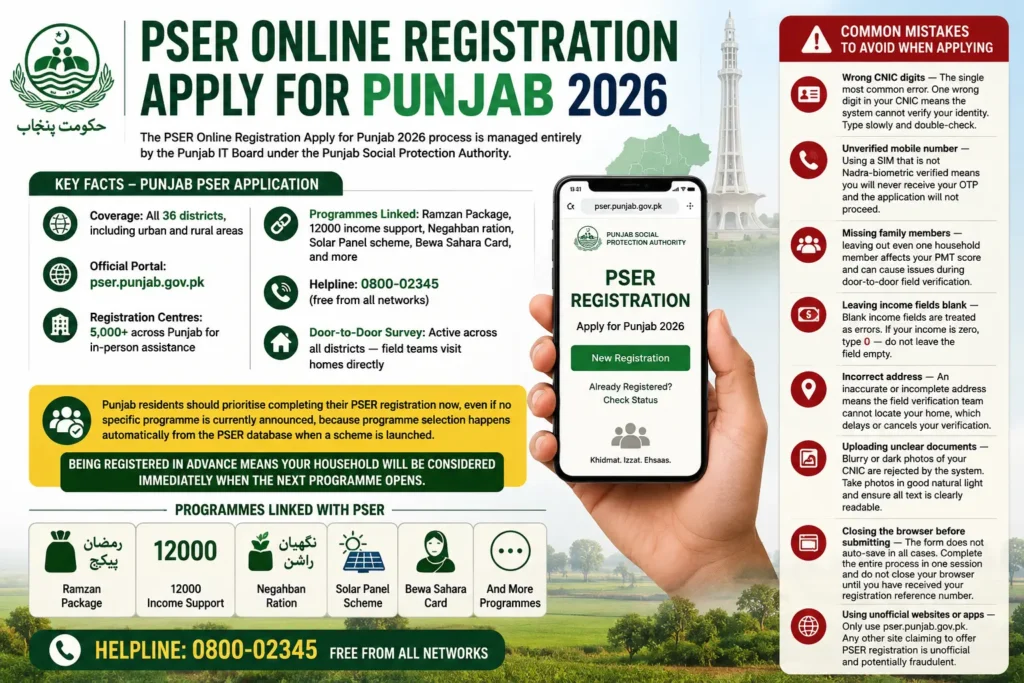
The PSER Online Registration Apply for Punjab 2026 process is managed entirely by the Punjab IT Board under the Punjab Social Protection Authority. It covers all 36 districts of Punjab — from major cities like Lahore, Rawalpindi, Faisalabad, and Multan to rural tehsils across South Punjab, Pothohar, and Central Punjab.
Key facts about the Punjab-specific PSER application:
- Coverage: All 36 districts, including urban and rural areas
- Official Portal: pser.punjab.gov.pk
- Registration Centres: 5,000+ across Punjab for in-person assistance
- Programmes Linked: Ramzan Package, 12000 income support, Negahban ration, Solar Panel scheme, Bewa Sahara Card, and more
- Helpline: 0800-02345 (free from all networks)
- Door-to-Door Survey: Active across all districts — field teams visit homes directly
Punjab residents should prioritise completing their PSER registration now, even if no specific programme is currently announced, because programme selection happens automatically from the PSER database when a scheme is launched.
Being registered in advance means your household will be considered immediately when the next programme opens.
Common Mistakes to Avoid When Applying
These are the most frequent errors that cause PSER applications to be delayed or rejected:
- Wrong CNIC digits — The single most common error. One wrong digit in your CNIC means the system cannot verify your identity. Type slowly and double-check.
- Unverified mobile number — Using a SIM that is not Nadra-biometric verified means you will never receive your OTP and the application will not proceed.
- Missing family members — leaving out even one household member affects your PMT score and can cause issues during door-to-door field verification.
- Leaving income fields blank — Blank income fields are treated as errors. If your income is zero, type 0 — do not leave the field empty.
- Incorrect address — An inaccurate or incomplete address means the field verification team cannot locate your home, which delays or cancels your verification.
- Uploading unclear documents — Blurry or dark photos of your CNIC are rejected by the system. Take photos in good natural light and ensure all text is clearly readable.
- Closing the browser before submitting — The form does not auto-save in all cases. Complete the entire process in one session and do not close your browser until you have received your registration reference number.
- Using unofficial websites or apps — Only use pser.punjab.gov.pk. Any other site claiming to offer PSER registration is unofficial and potentially fraudulent.
What Happens After You Apply?
After you successfully submit your PSER application, here is what happens next:
1. Confirmation SMS — You receive a registration reference number on your registered mobile number immediately after submission. Save this number.
2. Data Processing — Your submitted household data enters the PSER database, where it is processed and cross-referenced with Nadra records for initial verification.
3. Door-to-Door Field Verification — A government survey team may visit your home to physically verify the information you submitted — family members, housing conditions, and income details. This is the most important stage. Be at home and cooperate fully with the verification team.
4. PMT Score Calculation — Based on your submitted data and field verification results, your household is assigned a PMT (Proxy Means Test) score. This score determines your priority level for welfare programmes.
5. Programme Selection — When the Punjab government announces a welfare programme, households from the PSER database are selected based on PMT scores. The lower your score, the higher your priority.
6. Status Updates — You can track your application status at any time by sending your CNIC to 8171 or 9999 via SMS or by logging into your account at pser.punjab.gov.pk.
The entire process from submission to programme eligibility notification can take anywhere from 2 to 8 weeks, depending on your district and the current workload of field verification teams.
Frequently Asked Questions — PSER Online Registration Apply
Can I apply for PSER online registration without a smartphone?
Yes. If you do not have a smartphone or internet access, you can visit your nearest PSER Registration Centre, where trained staff will complete the application on your behalf at no cost. You can also wait for the PSER door-to-door survey team to visit your area — field teams are currently active across all 36 districts of Punjab. To find your nearest registration centre, call the free helpline 0800-02345.
What is the PSER online registration application link for 2026?
The official PSER online registration application link for 2026 is pser.punjab.gov.pk — this is the only verified government portal for PSER registration. Do not use any other link shared on WhatsApp, Facebook, or other websites. The official portal is managed by the Punjab IT Board and is the only safe, legitimate place to submit your PSER application.
How long does the PSER application take to process?
After submitting your PSER application, the initial data processing typically takes 3 to 7 working days. Field verification by a door-to-door survey team usually follows within 2 to 6 weeks, depending on your district and the current survey schedule in your area.
Once field verification is complete, your PMT score is calculated, and your household becomes eligible for consideration in welfare programme selections. You can check your current status at any time by sending your CNIC to 8171 via SMS or by calling 0800-02345.